Have a recipe card, cookbook page, handwritten note, or screenshot you want to digitize? Forkr uses OCR technology to read the text in any photo and convert it into a fully formatted digital recipe — ingredients, steps, and all.
Tap "Add Recipe"
On the Forkr home screen, tap the orange Add Recipe button to open the recipe input options.
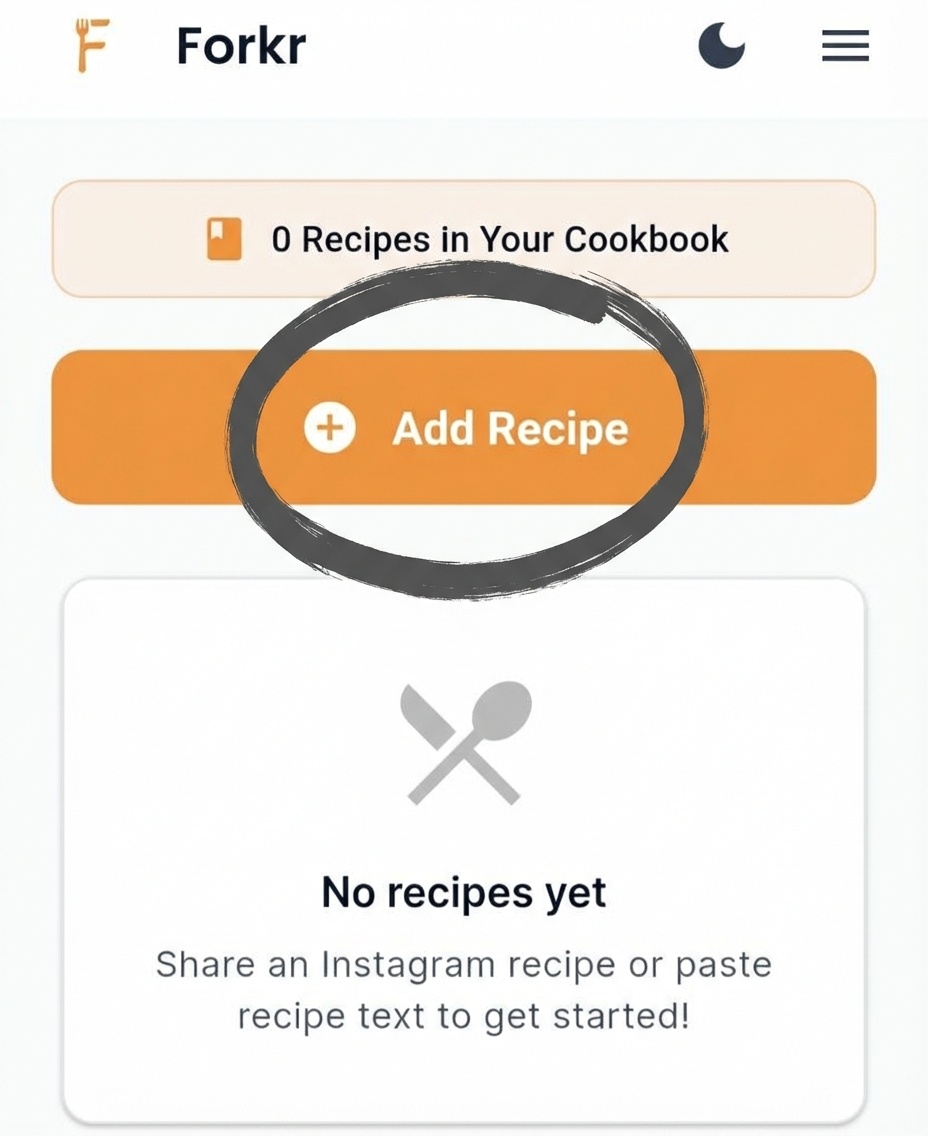
Tap the Add Recipe button on the home screen
Select "Photo Recipe"
From the menu, tap Photo Recipe (the option with a camera icon). This opens the photo selection screen.
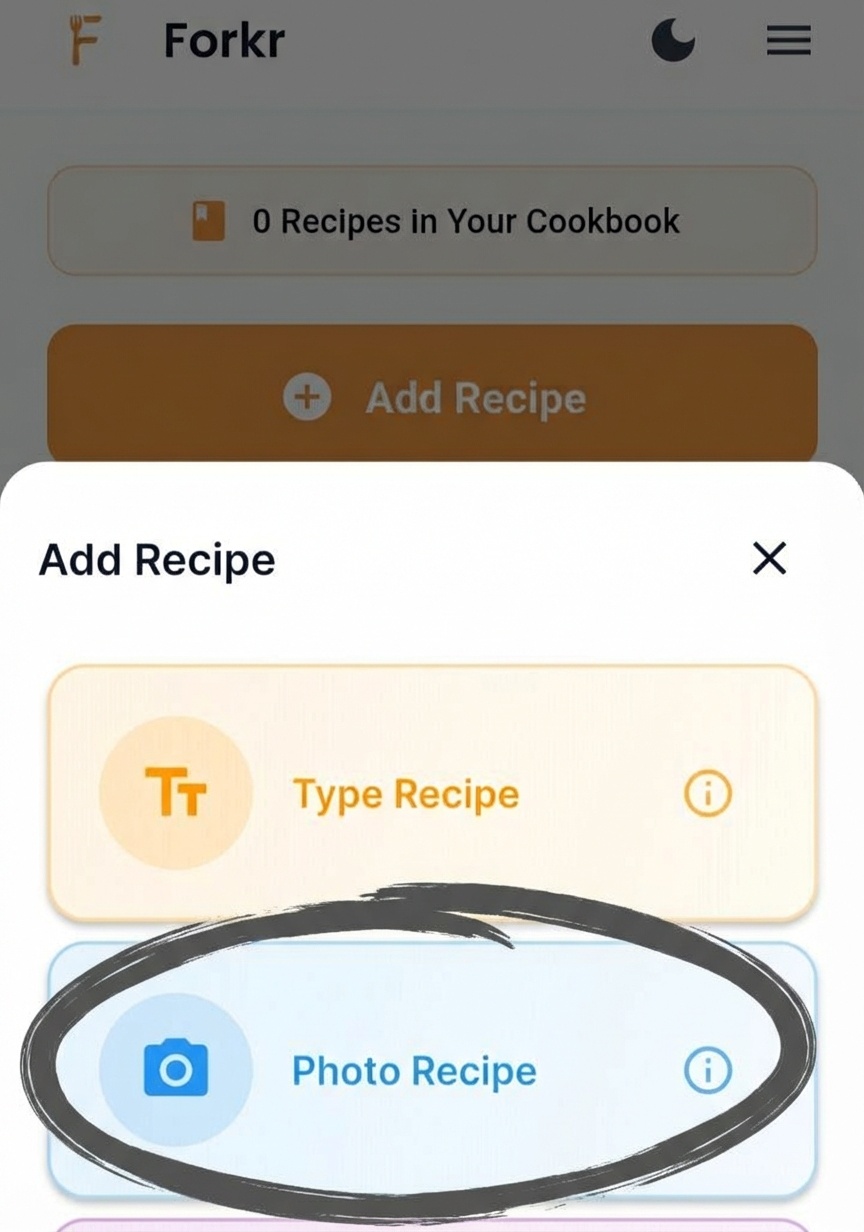
Tap "Photo Recipe" to continue
Choose from Gallery
Tap Choose from Gallery to select an existing photo, or tap Take Photo to capture a new one with your camera. Forkr's AI will extract the recipe text and automatically format it into ingredients and instructions.
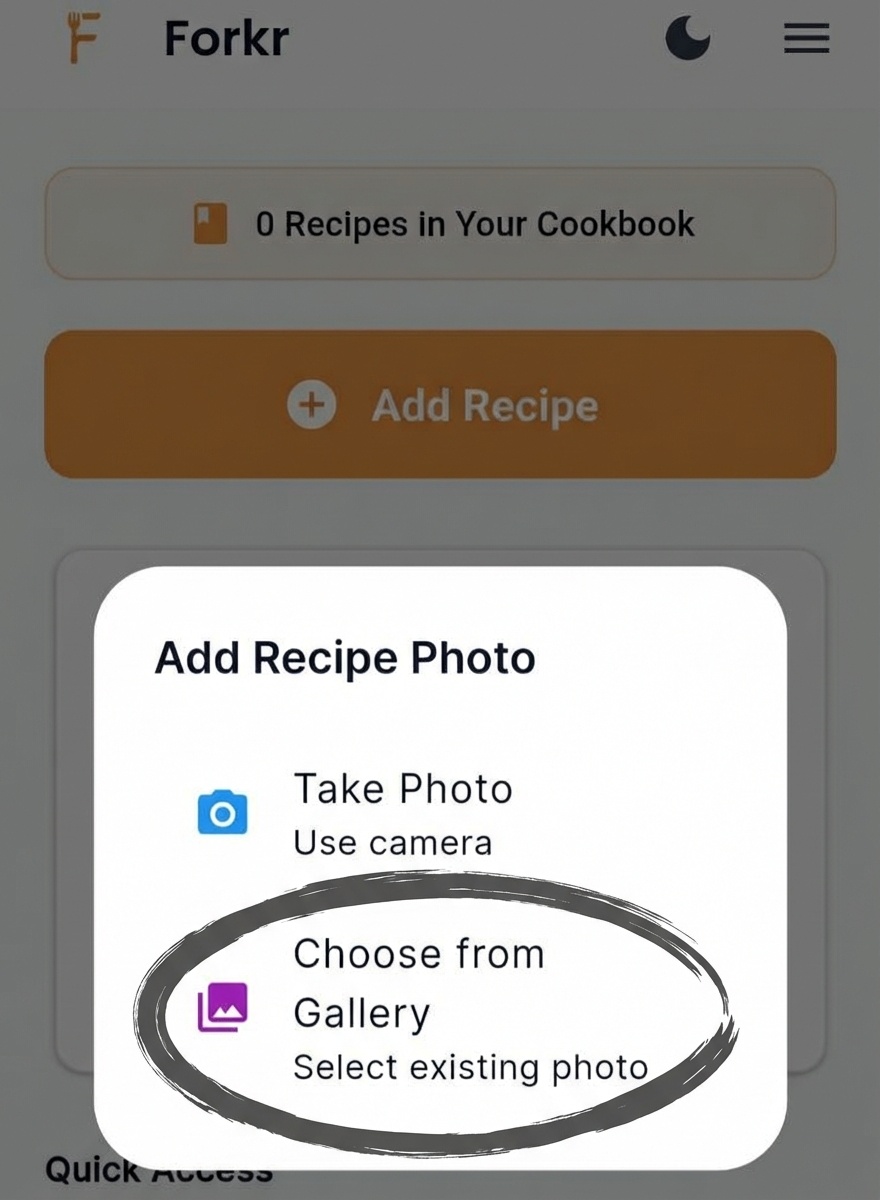
Choose how to add your photo
The recipe is now saved in your Forkr cookbook. You can access it anytime, even offline, add it to folders, generate shopping lists, and share it with friends and family.
Tips for Best Results
- Good lighting: Ensure the photo is well-lit with minimal shadows for the best OCR accuracy.
- Clear text: Photos with sharp, readable text work best. Avoid blurry or low-resolution images.
- Recipe cards: Physical recipe cards and cookbook pages extract well — hold the camera steady and shoot straight on.
- Screenshots: Screenshots of online recipes work great too.
- Edit after: You can always edit the extracted recipe if anything needs adjusting.
Text didn't extract correctly? Make sure the photo is clear and well-lit. Try taking a new photo with better lighting or adjust the angle to reduce glare.
Some ingredients missing? The AI does its best, but you can always manually add or edit any part of the recipe after extraction.